
ADA Awareness & Website Accessibility Training
✨ “Be Seen. Be Accessible. Be in Integrity.”

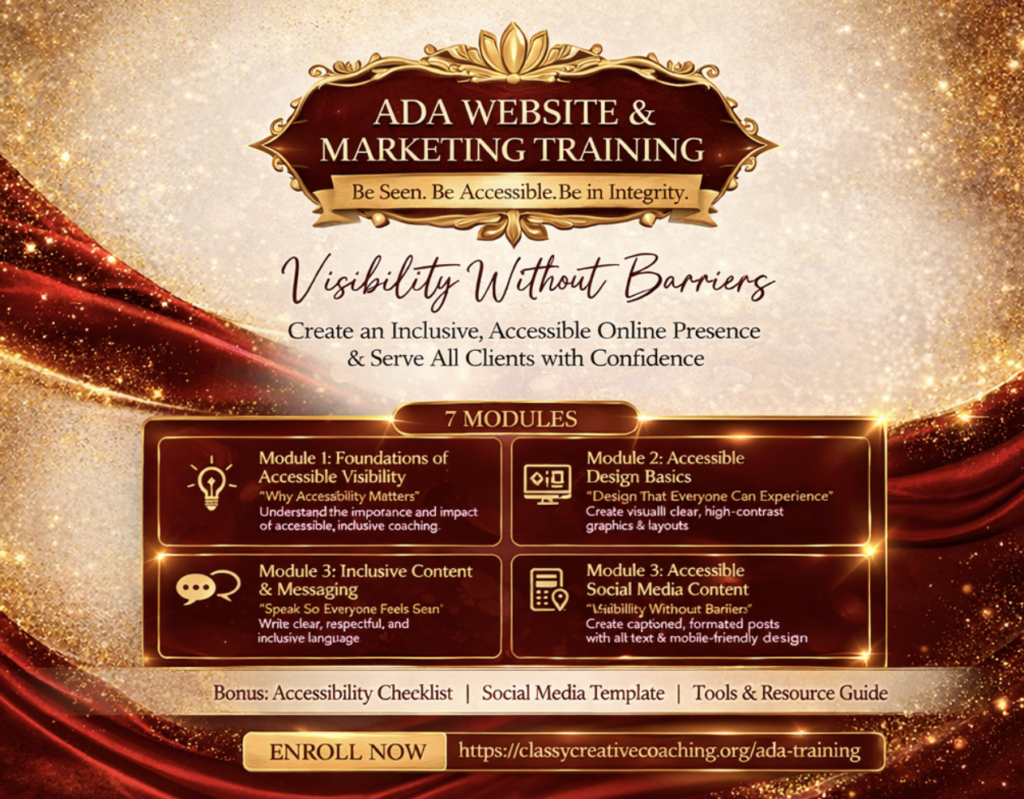
ADA Website & Marketing Training
This training equips coaches with the tools and knowledge to create accessible, inclusive, and user-friendly online experiences—so you can serve all clients with integrity and professionalism.
You’ll learn how to build and market your coaching practice in a way that is:
- Clear
- Inclusive
- Compliant
- Aligned
🌿 What You’ll Learn
- How to create accessible websites (ADA basics)
- Designing high-contrast, readable content
- Writing inclusive and respectful messaging
- Captioning and formatting social media content
- Creating user-friendly booking and client journeys
- Tools for accessibility (captions, alt text, formatting, etc.)
💼 Why This Matters
- Expands who you can serve
- Builds trust and professionalism
- Positions you as ethical and inclusive coaches
- Protects your business (ADA awareness)
- Aligns with modern digital standards
🧱 Structure
Format:
- Pre-recorded modules + checklist
Included:
- Checklist: “Accessible Website Essentials”
- Template: Accessible social media post format
- Tool list (Canva, captions, contrast checkers, etc.)
🌿 Module 1: Foundations of Accessible Visibility
“Why Accessibility Matters”
Understanding what accessibility means in the online space
Who accessibility serves (and why it matters for your business)
Common barriers in websites and social media
Shifting from exclusion to intentional inclusion
💡 Outcome:
Develop a clear understanding of accessibility and why it is essential to your work as a coach
🎨 Module 2: Accessible Design Basics
“Design That Everyone Can Experience”
Choosing readable fonts and proper text sizing
Using high-contrast color combinations
Structuring clean, simple layouts
Avoiding clutter and visual overwhelm
💡 Outcome:
Create visually clear and accessible graphics and website layouts
✍🏽 Module 3: Inclusive Content & Messaging
“Speak So Everyone Feels Seen”
Writing in clear, simple, and inclusive language
Avoiding jargon and overly complex phrasing
Creating captions for videos and audio content
Using respectful and people-first language
💡 Outcome:
Communicate in a way that is inclusive, clear, and welcoming to diverse audiences
📱 Module 4: Accessible Social Media Content
“Visibility Without Barriers”
How to create accessible posts (captions, spacing, formatting)
Using alt text for images
Designing content that is easy to read on mobile
Creating content that serves different learning styles
💡 Outcome:
Confidently create social media content that is accessible and engaging
🌐 Module 5: Accessible Websites & Booking Experience
“Make It Easy to Work With You”
Designing simple, user-friendly websites
Creating clear navigation and page structure
Making booking and payment processes easy to follow
Ensuring forms and buttons are accessible
💡 Outcome:
Build a website and client journey that is easy, intuitive, and accessible
🛠 Module 6: Tools & Implementation
“Putting It All Into Practice”
Tools for checking contrast, readability, and accessibility
Simple workflows for adding captions and alt text
Templates and systems for consistent accessible content
Creating your personal accessibility checklist
💡 Outcome:
Leave with tools, systems, and a repeatable process for accessible marketing
🎓 Module 7: Integration & Visibility Alignment
“Being Seen in Integrity”
Aligning your visibility with your values
Auditing your current content and platforms
Refining your brand to reflect inclusivity
Creating a simple action plan moving forward
💡 Outcome:
Walk away with a clear, aligned, and accessible visibility strategy